Unity 6.4 is officially live today
TL;DR: Unity 6.4 just shipped as a Supported release, so it gets LTS style bug fixes until the next version. ECS is now a Core package with Entities, Collections, Mathematics, and Entities Graphics built in. Project Auditor ships by default, and Matchmaker picks up four upgrades including dashboard logs and CEL based OR filters.
Unity 6.4 is officially live today
Unity 6.4 is officially available as a Supported release. In my opinion, that is the key sentence. It means this version gets the same level of support you would expect from an LTS style cycle, including bug fixes and critical platform updates, until the next release is published.
If you have been thinking, "Should I upgrade again, or wait", this is one of those releases where upgrading each supported version helps you get new improvements sooner, and it also helps reduce the size of the gap between long jumps from release to release.
There is a full Discussions thread with the details plus an upgrade guide, but here is the quick version in my own words, focused on the parts I think will matter in real projects.
ECS is now a Core package
Starting in 6.4, the Entities Component system is now implemented as Core packages and ships directly with the editor. That includes Entities, Collections, Mathematics, and Entities Graphics.
For developers, the win is simple. You can integrate ECS faster because the pieces are already part of your editor experience, and you spend less time dealing with missing setup steps when you onboard new teammates or move work between machines.
Project Auditor is built in by default
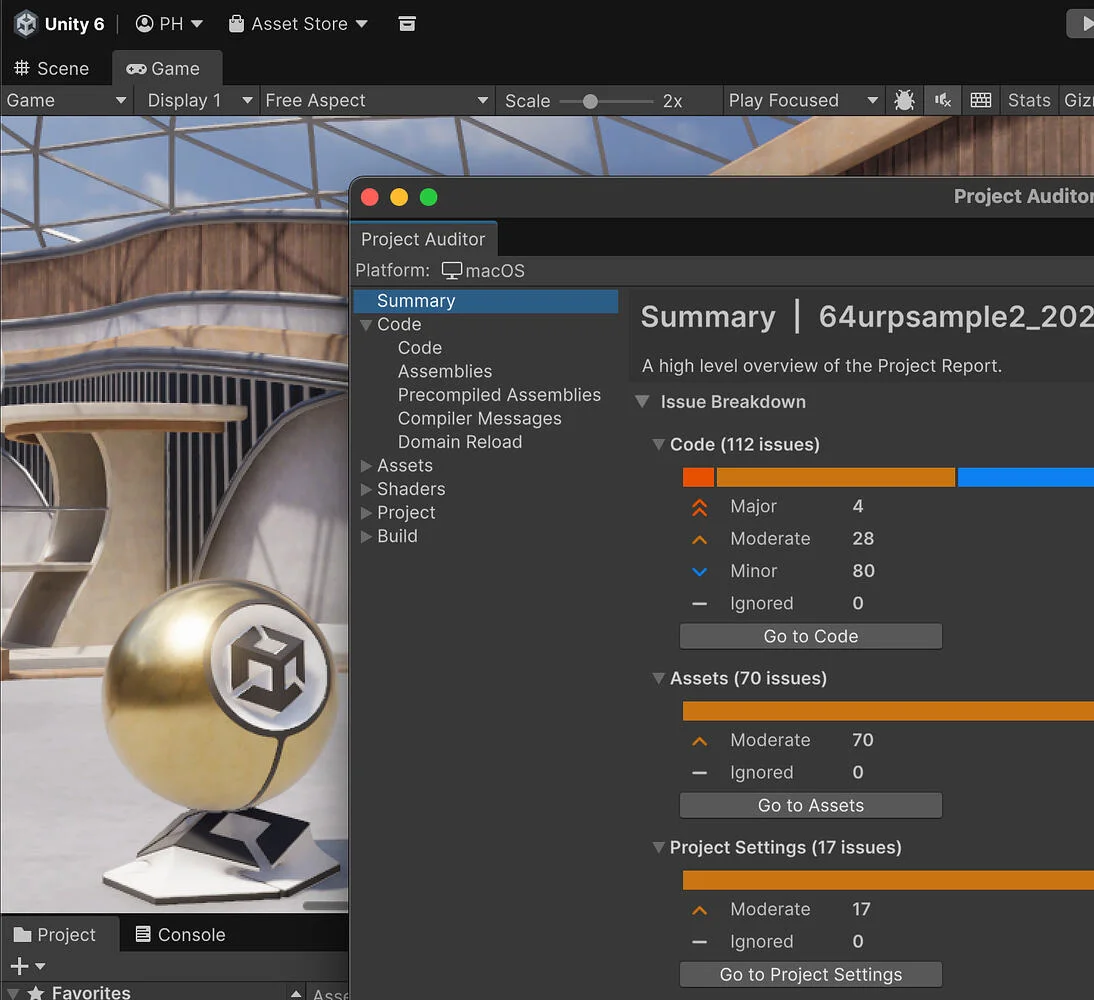
Project Auditor is now included in the editor by default. It used to be something you could add as a package, but now it is always ready.
You can open it from Windows, Analysis, Project Auditor. Unity also split the rules out into a new package called com.unity.project-auditor-rules. The practical benefit is that rule updates and additions can continue without you having to chase every editor update just to get the newest analysis.
Multiplayer Matchmaker upgrades
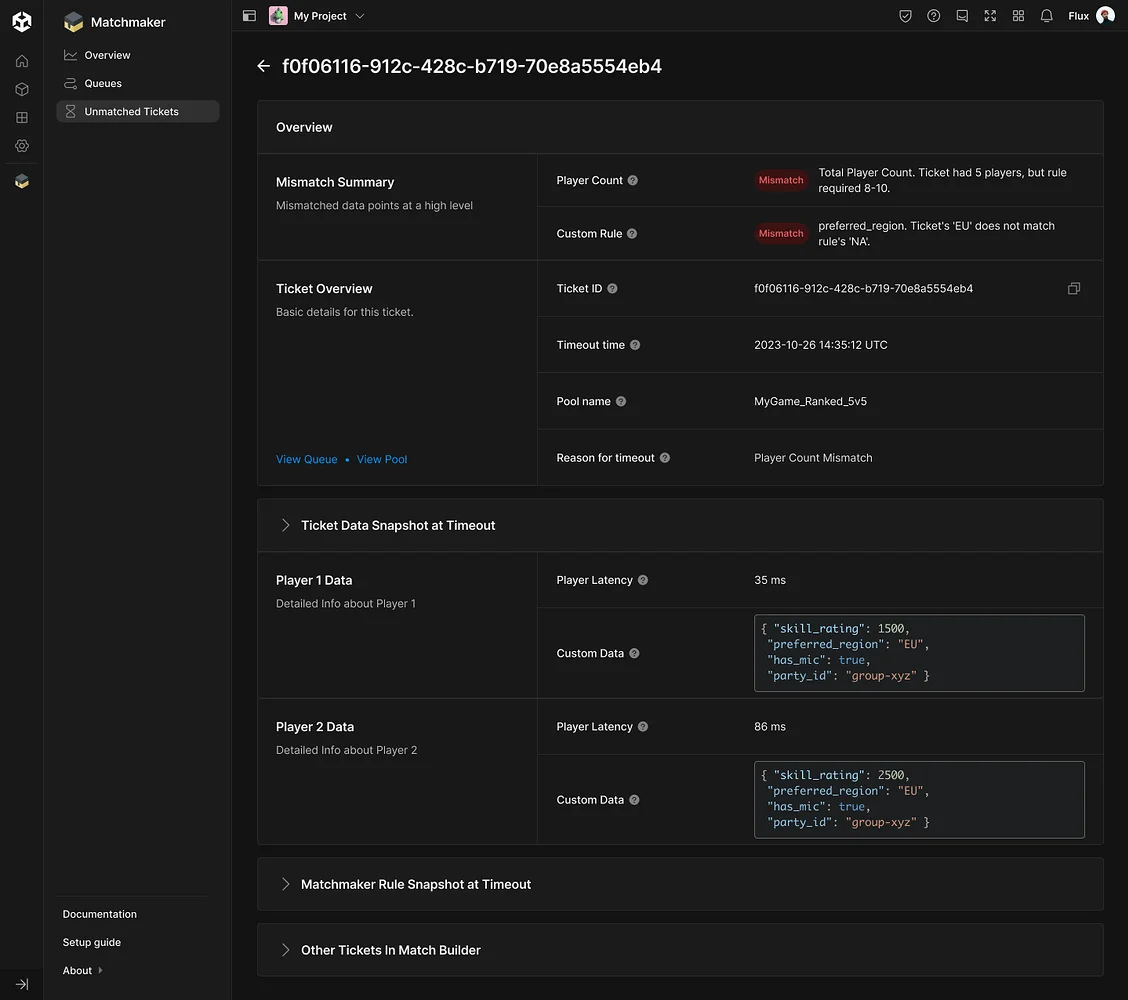
Matchmaker got four meaningful upgrades, and they are all about visibility and control.
First, you now have direct access to Matchmaker logs through the Unity Dashboard. You can view ticket creation, match results, allocation requests, and backfill activity in one place. When you are trying to debug matchmaking behavior, that reduces the guesswork.
Second, Unity added OR operation support for pools and filters. You can use CEL expressions to build more flexible rules, so players can match based on any of multiple criteria rather than forcing every condition to be met.
Third, the Unity Dashboard now includes a configuration history for Matchmaker, with timestamps, authors, and change diffs. This is the kind of audit trail that saves time when you need to understand what changed and why.
And finally, Matchmaker now supports third party hosting, which is important if your stack is not tied to Unity hosting options.
Safer prompts for unsigned packages
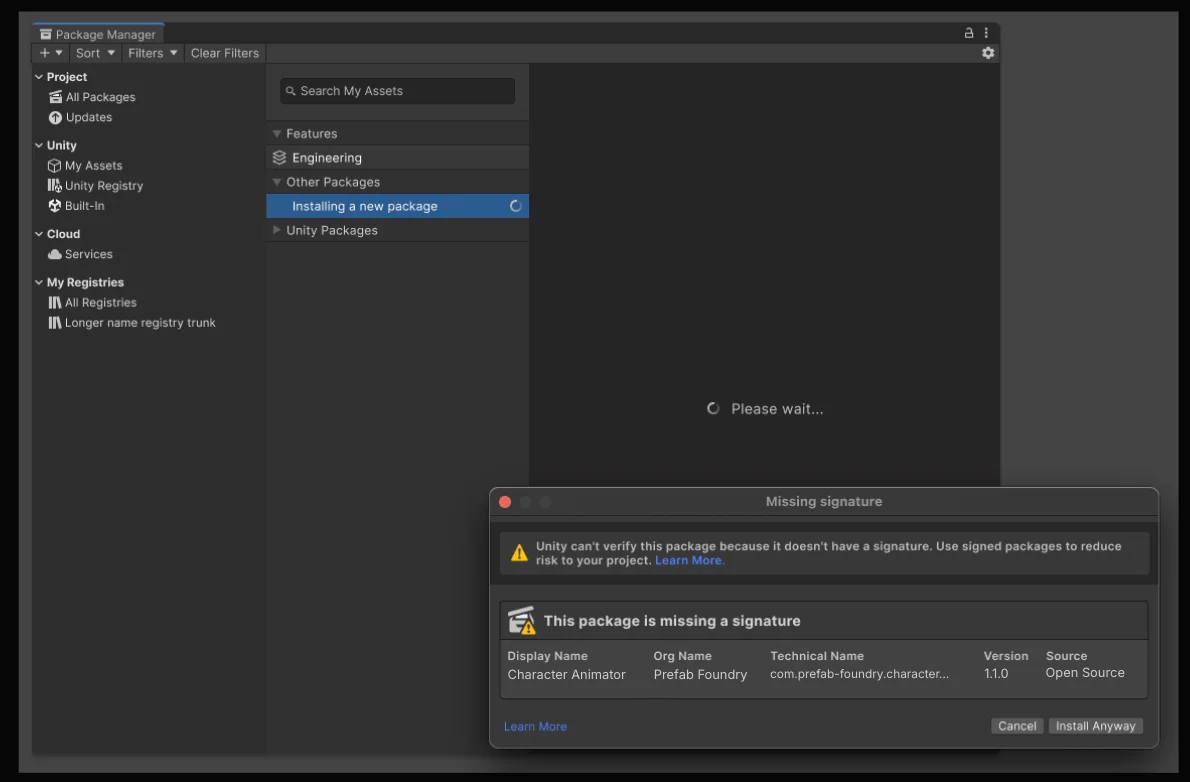
Unity also added a safety pop up in Package Manager. When a package is unsigned, or sourced outside of Unity, the installer now requires you to acknowledge the risks before proceeding.
This is a small change, but it is a big quality signal. It helps teams make safer dependency decisions instead of rushing through installs.
Adaptive Performance on consoles
On consoles, Unity extended the Adaptive Performance Basic provider to cover these platforms: PlayStation 4, PlayStation 5, Xbox One, and Xbox Series X and S.
They also improved the workflow for managing custom scalers with a redesigned UI. You can add, remove, and configure ScriptableObject based scalers directly in a scaler profile inside the editor.
If you are thinking about ports or multi console targets, these updates should make it easier to get to consistent performance results without repeating as much manual tuning per platform.
Sources and Further Reading
1. What's new in Unity, Unity's main entry point for release notes.
2. Unity release overview, how Unity's release streams and support timelines are structured.
3. What is a Unity LTS release, background on what LTS support typically includes.
4. Changelog | Entities | 6.4.0, includes the change that Entities is now a core package embedded in Unity.
5. Project Auditor introduction, what it does and how to open it from the editor.
6. Project Auditor Rules documentation, the rules package used by Project Auditor.
7. Matchmaker logs, how to access Matchmaker logs in the Unity Dashboard and filter them.
8. Queues and pools, pools, filters, and CEL examples including OR style logic with ||.
9. Package signatures, how Unity validates package signatures in Package Manager.
10. Unity Core Standards, ecosystem guidelines that support safer package usage.
11. Adaptive Performance supported features by provider, what features are available depending on the provider.
12. Upgrade your Unity project, official upgrade guidance and best practices.
13. Unity 6.4 is now available, the official announcement and upgrade details.
