Unity AI Assistant review: not ready for real work
Part of Unity AI, my index of AI in Unity coverage.
TL;DR
I tested Unity AI Assistant during its open beta. Single 3D asset generation through Tripo is genuinely impressive, but world generation got stuck twice and the drivable car experiment spun out completely. Add some onboarding bugs and a rough trial cancel flow, and you have an exciting foundation that is not yet ready for real production work.
Unity recently launched its own AI Assistant in open beta, and I decided to give it a try. I had no prior experience with it, because I was never granted access until it opened to everyone. My only experience with AI inside Unity has been through Unity MCP by Coplay, and for asset generation I used Game Lab Studio. To be honest, I was not satisfied with the official Unity AI Assistant results, but it is promising.
Table of contents
- Onboarding bugs and trial friction with Unity AI Assistant
- Unity AI Assistant failed at one-prompt world generation
- I asked Unity AI Assistant to build a world without the benchmark
- Unity AI uses Tripo to generate 3D models
- I asked Unity AI Assistant to generate a 3D car
- I asked Unity AI Assistant to make the car drivable. It could not.
- Why I am still excited about Unity AI Assistant
Onboarding bugs and trial friction with Unity AI Assistant
Before I get into the actual generation tests, I want to flag a few onboarding issues, because these are the first thing a new user runs into. The first one is an actual bug.
When you install the AI Assistant, the Assistant tab shows a Terms of Use block that you have to scroll to the bottom and accept. The problem is that the Accept button is not visible by default, and I genuinely thought I had done something wrong. After some poking around, I expanded the Assistant window vertically and the button finally showed up. This is something the Unity team should fix, especially because it is the very first thing a new user touches.
For people who are not deep in Unity, the AI Assistant is currently a preview (beta) package. That means you need to enable Preview Packages in your project settings before it will show up in the Package Manager, or you can paste the package name directly into Package Manager and install it that way.
The other thing I did not love is the trial subscription flow. I signed up for the 14-day free trial because I always cancel right away to prevent auto-renew, especially when I am not sure I will use the product. With Unity AI Assistant the only way to stop the auto-renew is to cancel the free trial itself, which also kills your trial access. Most products let you cancel the subscription while still keeping the trial through to its end date.
To be fair to Unity, I cannot really blame them. Generative AI is expensive when you factor in 3D models, image generation, and code generation, and there are always people who will abuse a free trial loophole. Unity had to protect itself somehow, and locking the auto-renew behind cancelling the trial outright is one way to do that. I get the reasoning, even if I do not love the experience.
Unity AI Assistant failed at one-prompt world generation
I built a benchmarking prompt to test new AI models. The idea is simple: whenever a new frontier model drops, like Opus 4.8 in the future or anything else, I run the same benchmark and compare the results. I covered the original setup in Claude Opus 4.7 vs 4.6: Unity world generation benchmark, and I tried the exact same prompt with the Unity AI Assistant.
The benchmark has 6 to 7 layers and asks the AI to generate a world procedurally from scratch. Most frontier models, think GPT 5.5 or Opus 4.7, and even Cursor running in auto mode, are capable of finishing it. The Unity AI Assistant failed. It cleared Layer 1 successfully, and I have to admit the result was amazing.
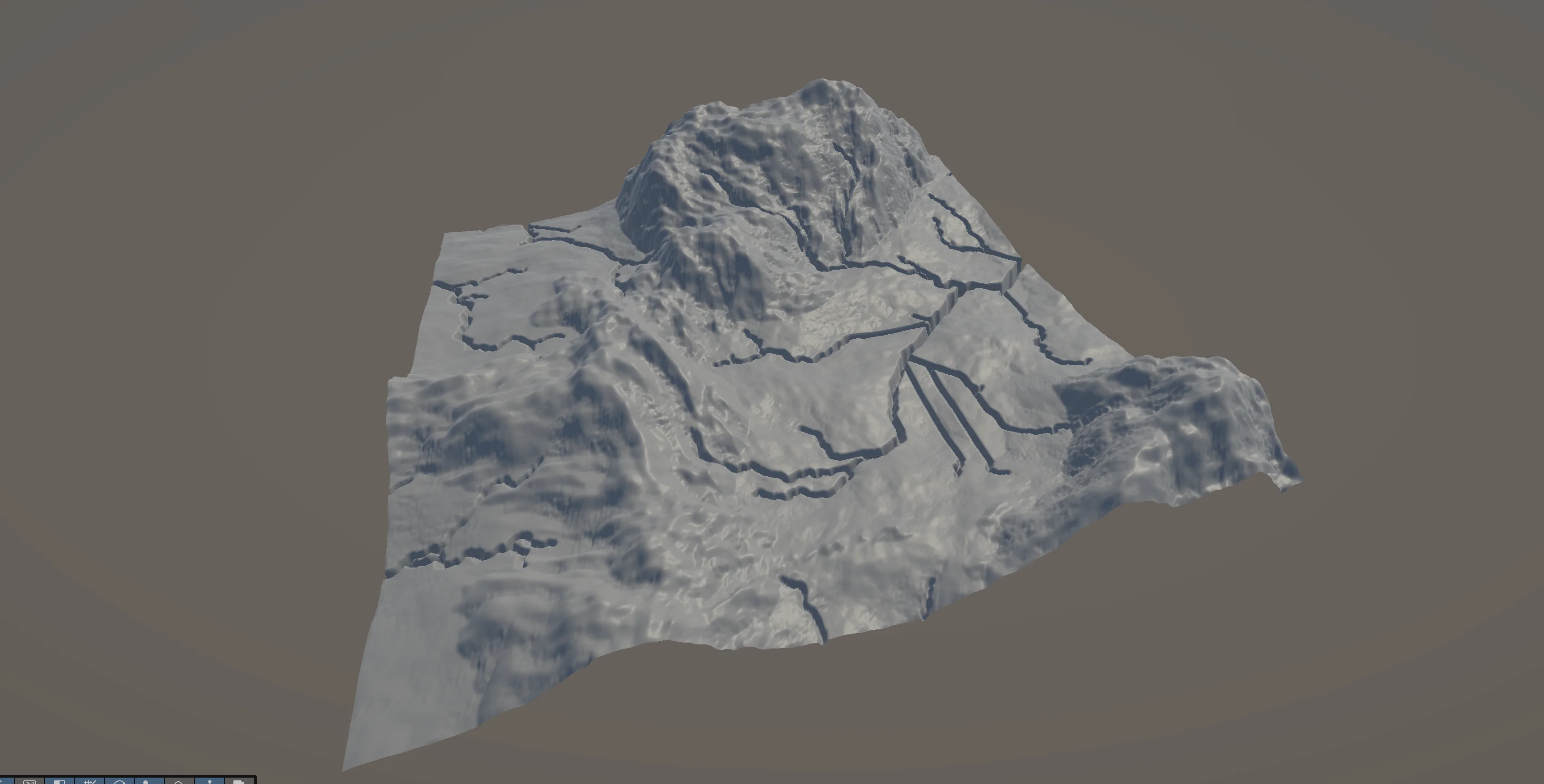
But it got stuck on Layer 2, where it was supposed to do texture splatting on the terrain.
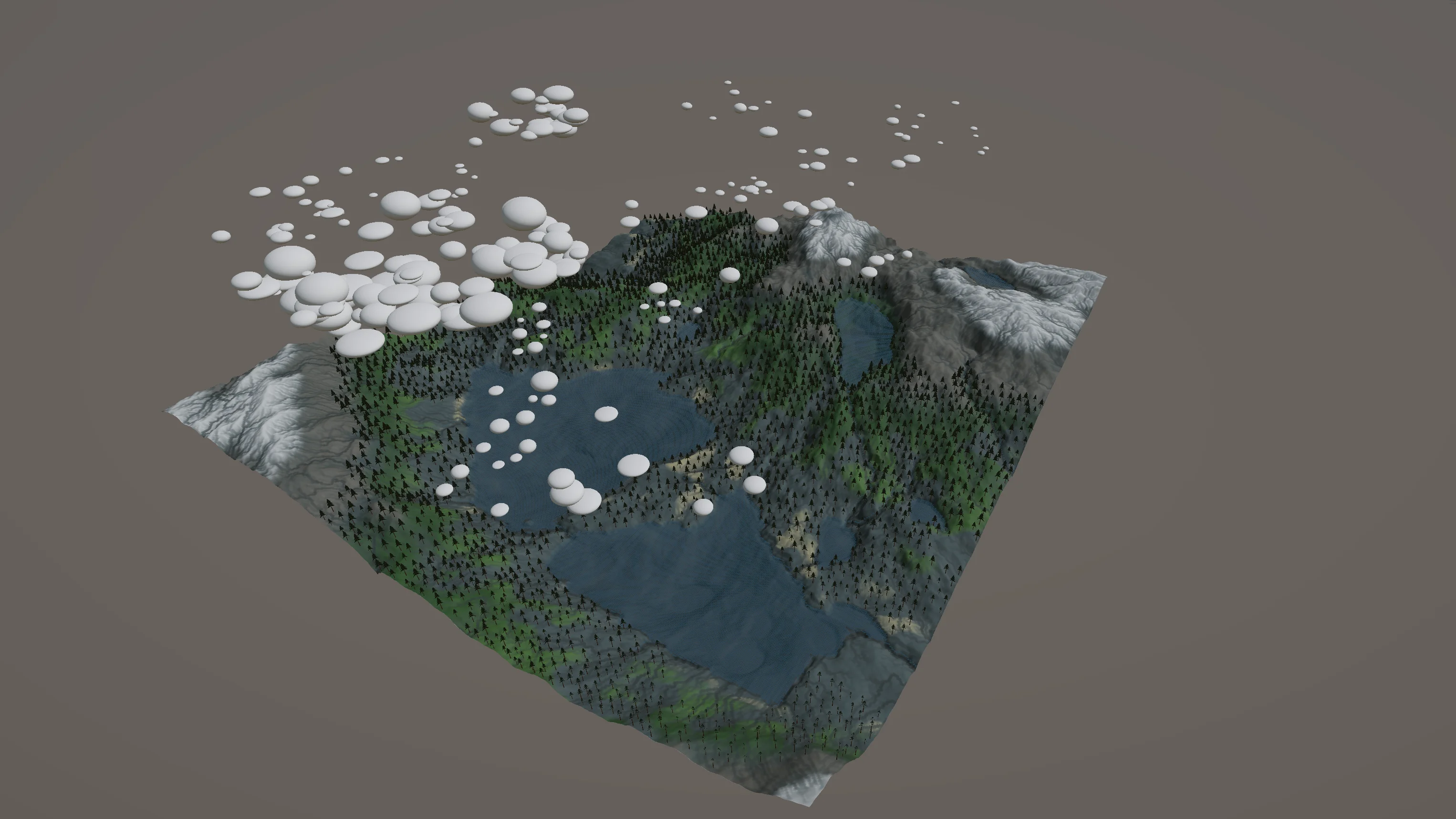
For comparison, here is roughly what the end result should look like, generated during my Claude Opus benchmark. It is not exactly what the prompt asked for, but it gives a good idea of where the Unity AI Assistant was supposed to end up.
I asked Unity AI Assistant to build a world without the benchmark
My personal benchmarking tool is made exactly for that, benchmarking. It is not meant for generating real playable worlds. My thought was that Unity might be limited on procedural generation tooling, and that is why it could not finish the benchmark. So I decided to give it another try, but this time without the one-prompt world generation benchmark, and let the AI Assistant use its own available internal tooling instead.
The result was even worse. It got stuck again, and this time I noticed something I really did not like. The AI Assistant seems to be missing any kind of timeout or fallback handling, so when it gets stuck it keeps going forever until you manually stop the prompt.
Before it stopped, it was actually able to generate some textures, and during the run I got a peek under the hood. I noticed it uses Gemini 2.0 Flash for tool calling. The model itself is not the most powerful out there, but I understand exactly why Unity went with it.
I built an LLM-native game engine from scratch as a demo, and I made the same kind of trade-off there. While I used Opus to build the engine itself, the engine had a chat option that let users make changes to the game and engine through a chat, and for that I used a cheaper model. Specifically, I used the local Qwen3-Coder model through Ollama, which saved a huge amount of tokens. So whenever I see a Flash Gemini model in someone else's stack, I know it is there to save tokens, and this is actually a smart move by Unity. When the LLM only needs to interact with something simple in the editor, why would you call an expensive model like Opus for it?
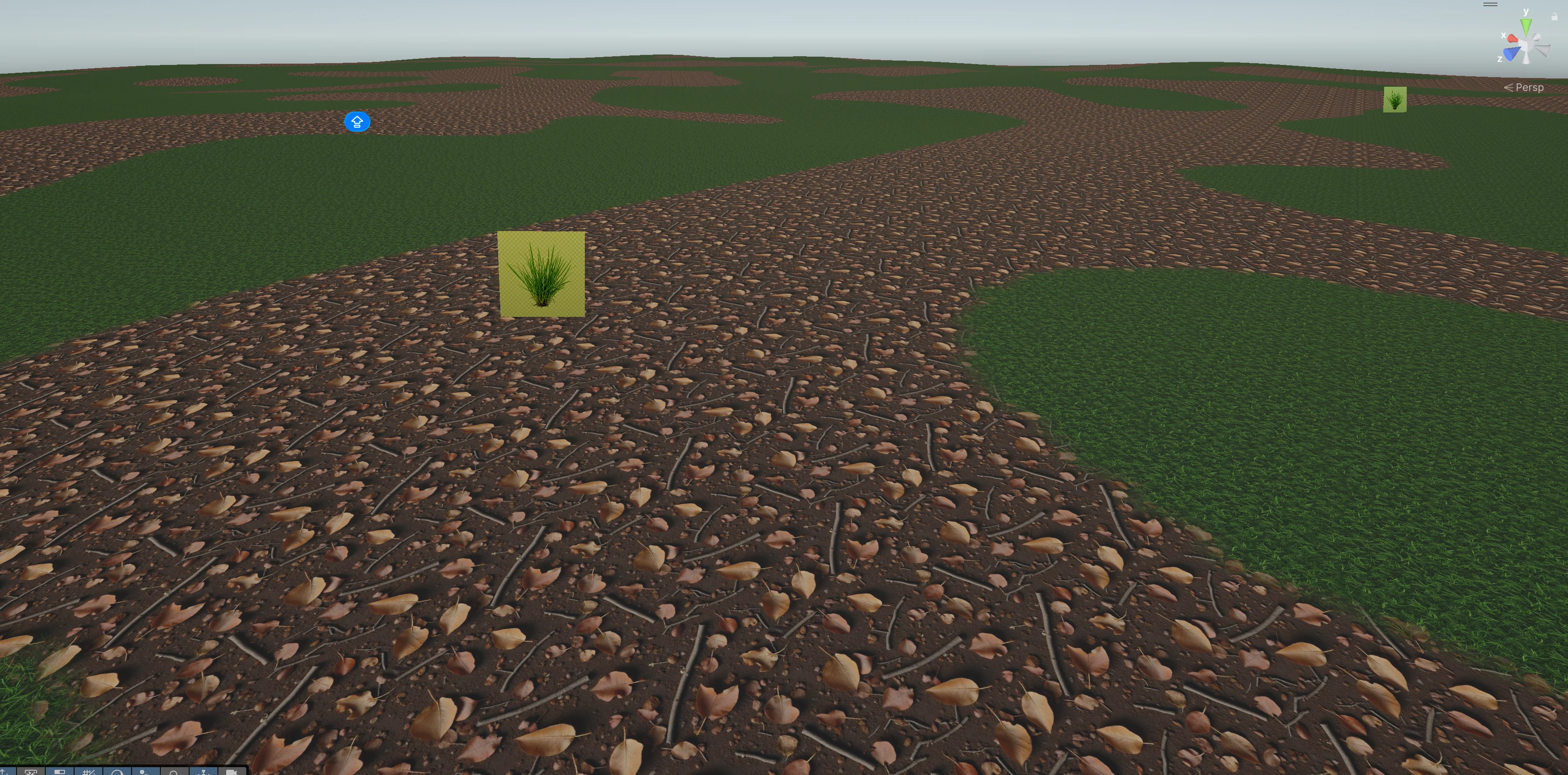
In this image you can see what it was able to generate before it got stuck. What I really loved is the texture quality. It created really good quality textures from scratch, and I believe, but I cannot confirm, that it used Gemini's image generation to make the image and then used it as a texture.
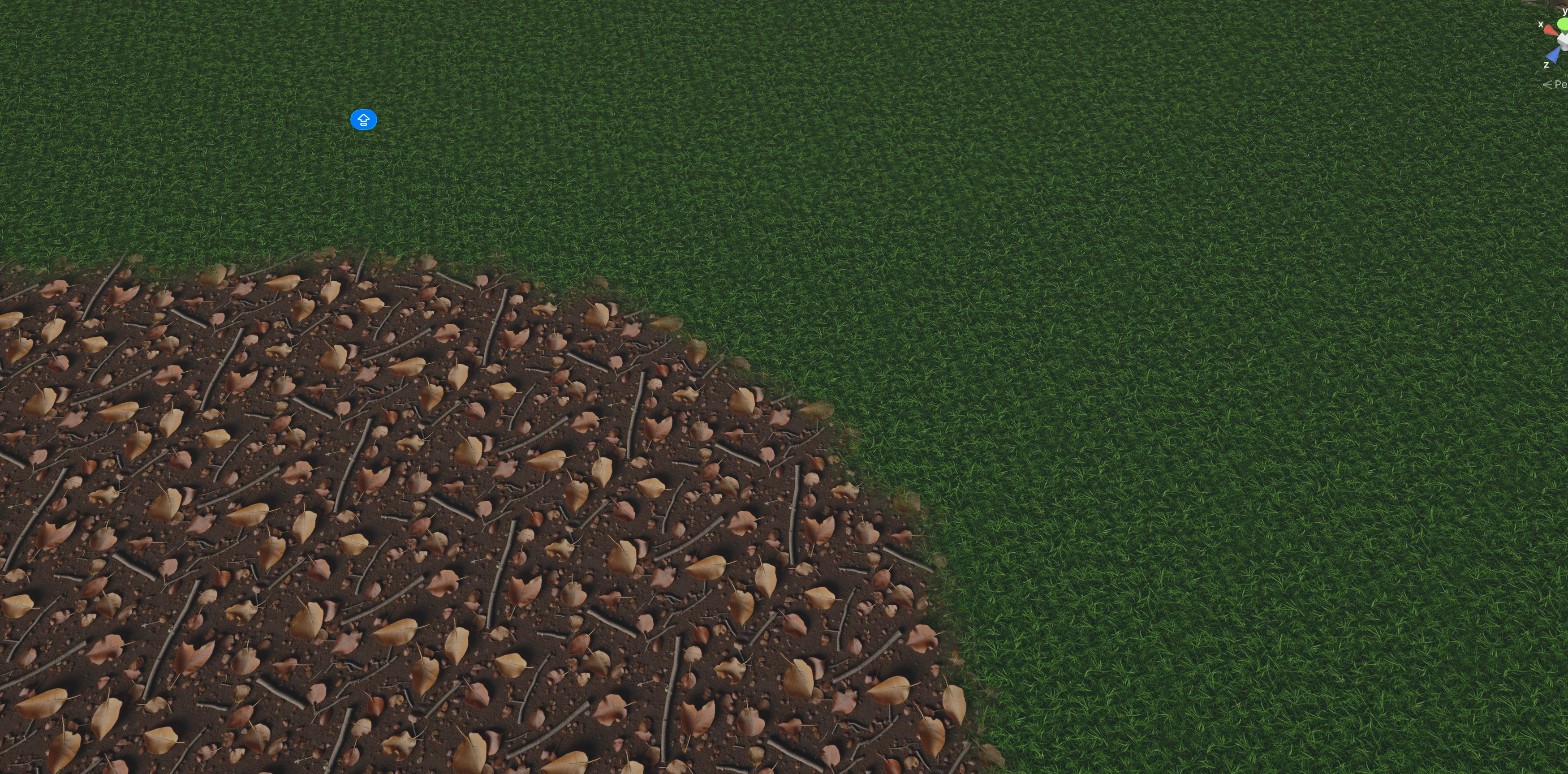
In this other image you can even see proper texture blending. The terrain itself does not look amazing because it is too flat, but that is probably something I would need to specify in the prompt.
Unity AI uses Tripo to generate 3D models
When I tried generating my new world, I noticed the name Tripo in the output, and that is how I found out what service Unity uses to generate 3D models. For people who do not know, Tripo is an AI company that lets you generate 3D models from images or text, and the results are pretty amazing.
I actually wanted to use Tripo in my own LLM-native game engine, but I shelved that idea once I realized I would be competing head-on with AI companies. There is just no point in that fight. It is only a matter of time before someone like Anthropic builds the same thing as you, and you are out of business. So I decided not to compete with OpenAI or Anthropic at their own game.
I think what Blender did is a smart move on their end. They went and shipped an official Claude connector through MCP that also works with Claude Code. They understand how things will work in the future, and they just accepted it.
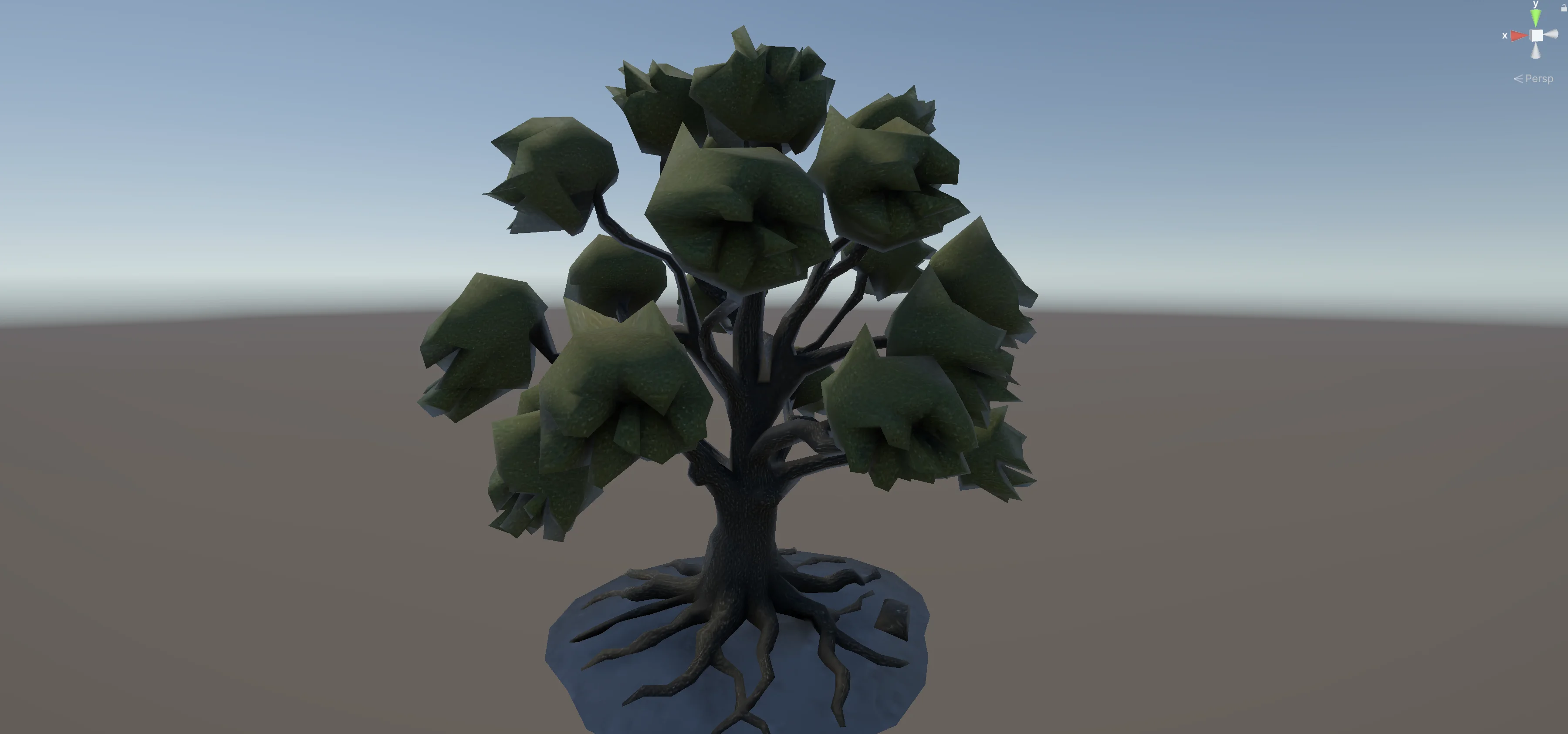
Back to the topic. The tree Unity generated through Tripo looked pretty amazing for something that came out of an image-to-3D pass. It is far from perfect, but imagine where this is going in a few years. It is already a noticeably better tree than the ones I had in my own benchmark, and that is what gets me really excited about the future of AI and 3D.
I asked Unity AI Assistant to generate a 3D car
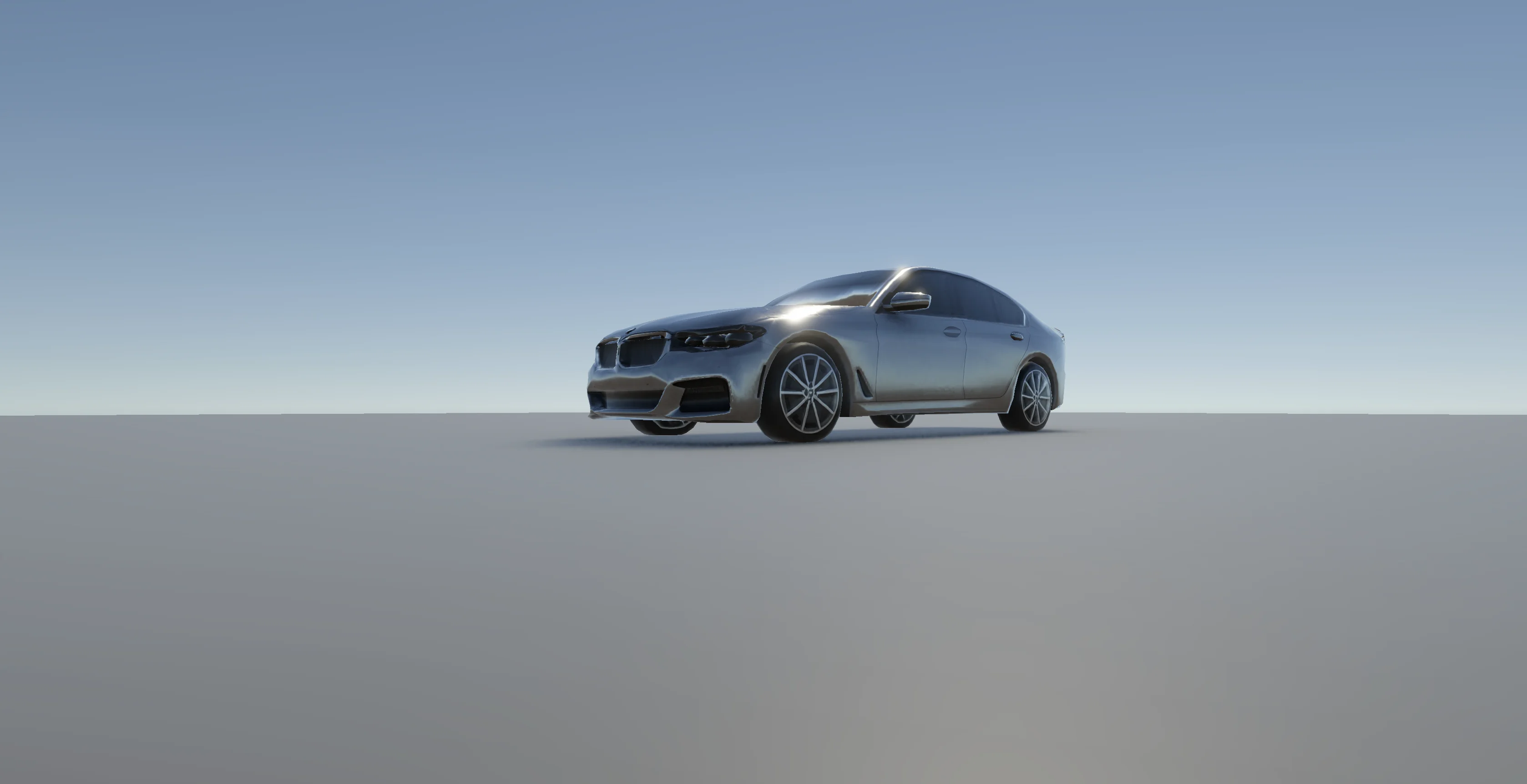
Since I could not get the world generation to finish, I went on and tried to work on things in isolation. I asked it to generate a BMW car model, and it actually did. The result is far from perfect, but I genuinely liked what came out.

Of course, when you zoom in, it does not look perfect. The mesh shows the kind of imperfections you would expect from an image-to-3D pipeline.
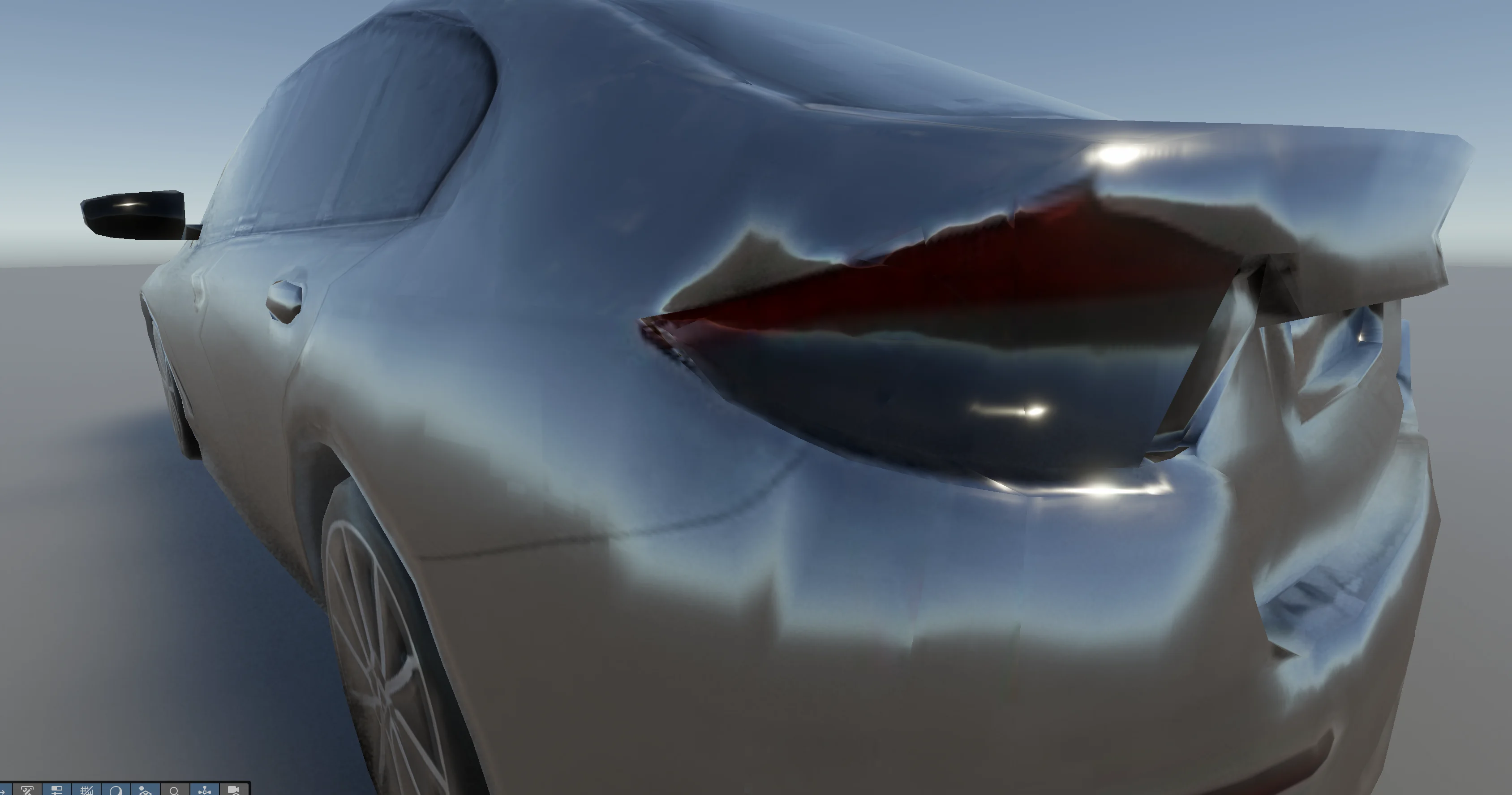
Still, it is a decently generated BMW model. The way it works under the hood is that it first generates an image, then runs that image through Tripo to produce the 3D model. You can actually see the whole flow in the prompt output.
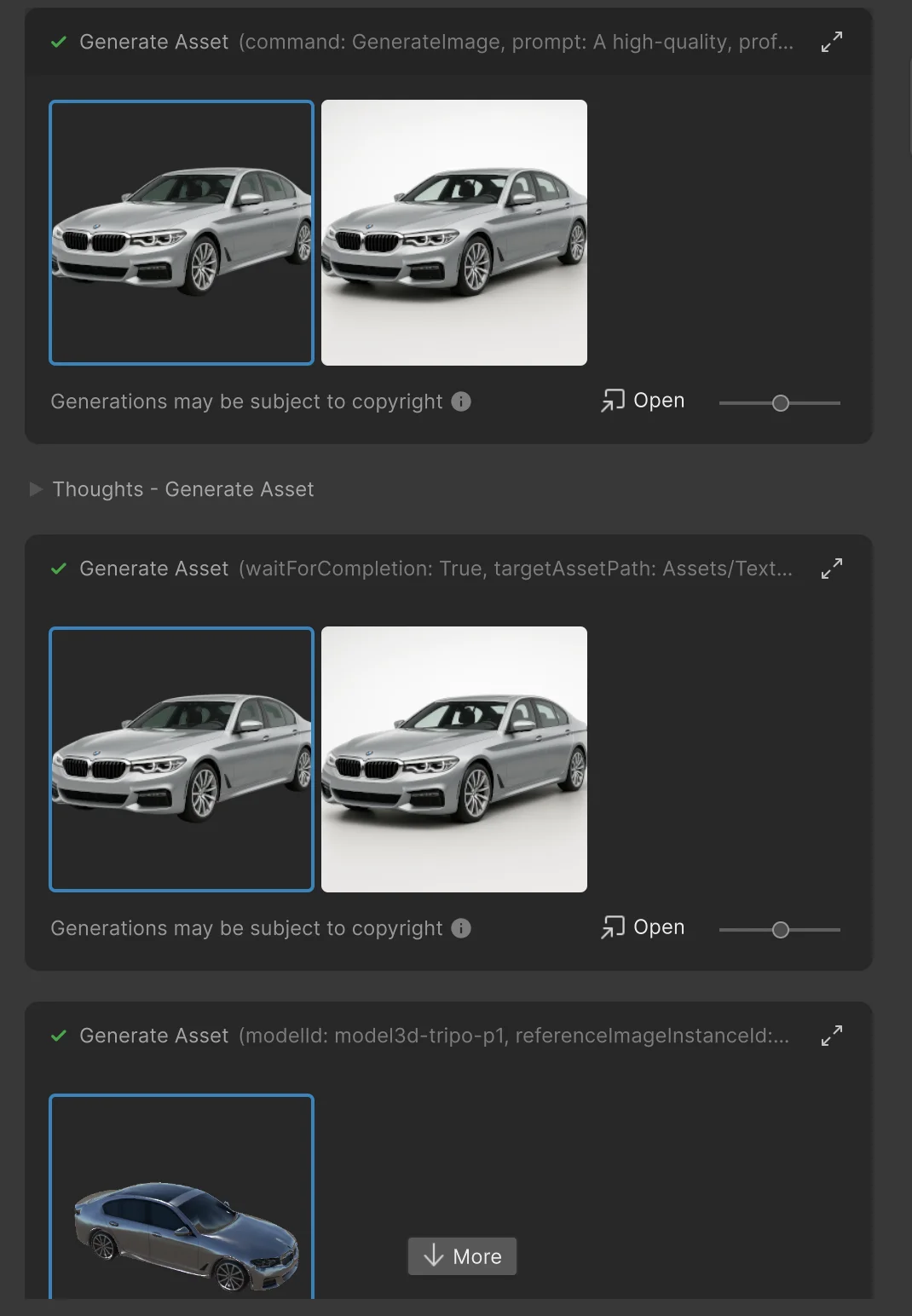
I was really excited by this. We can now generate things just as we wish. Also, under the prompt output you will see the message "Generations may be subject to copyright." Unity warns you because the model might generate something copyrighted, which is a nice touch from their side.
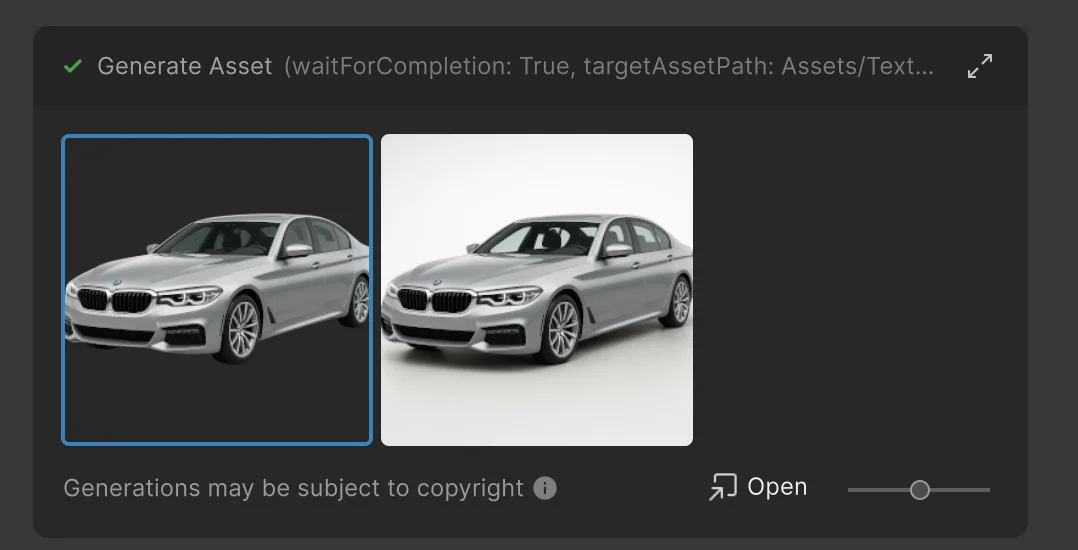
After the model is generated, it becomes a prefab that you can drag around your scene.
I asked Unity AI Assistant to make the car drivable. It could not.
After I had the car model that I liked, I tried to make the car drivable. I told the assistant to use WASD keys for control, set up a third-person follow camera, give the car weight using physics, and make the driving feel smooth. And it kinda failed.
It generated these huge colliders around the car. When I tried to drive, the vehicle just started spinning randomly, and it was unplayable.
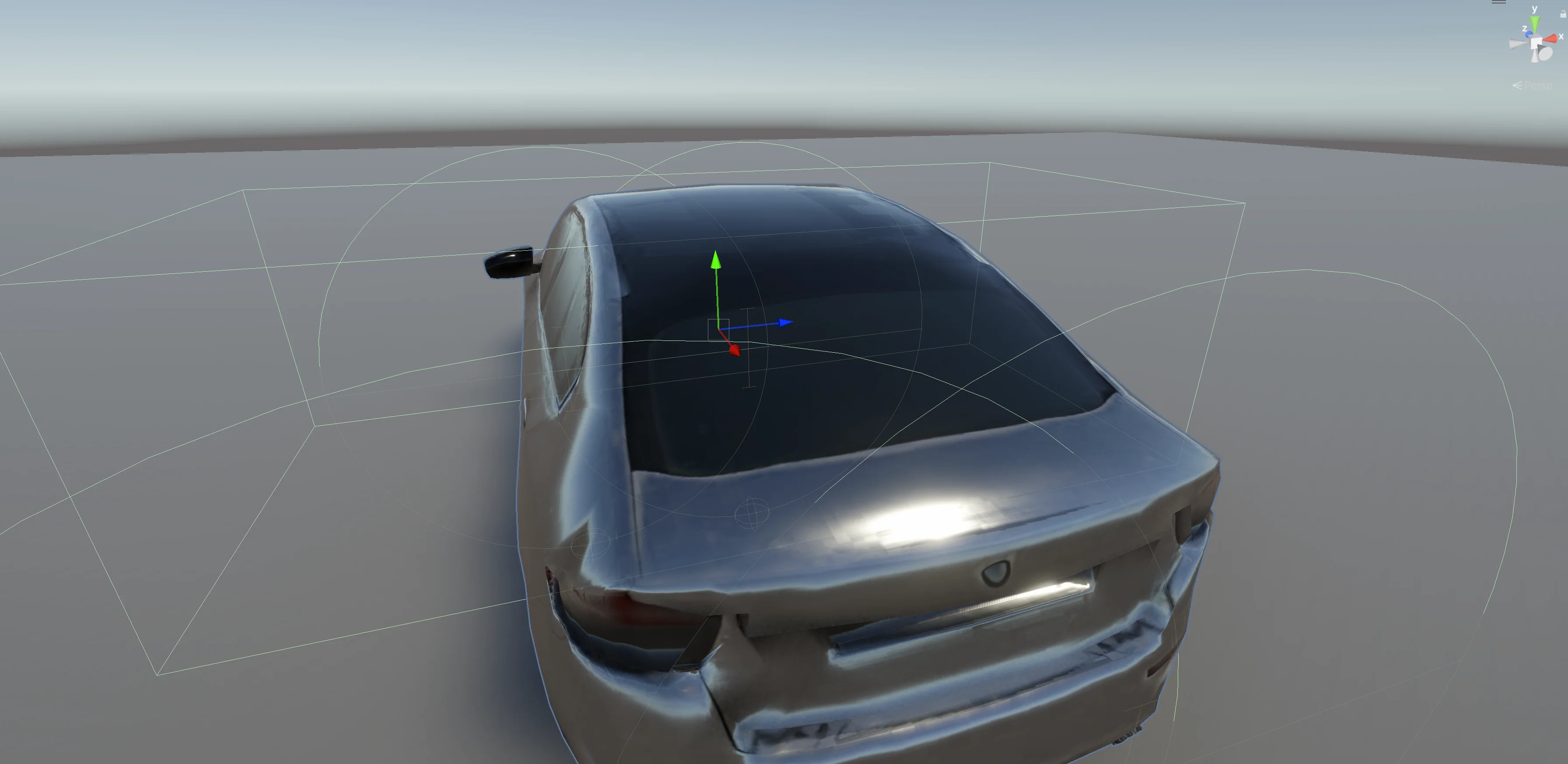
I am aware I could have tweaked it manually, but the whole point of these tests was to see what basic prompting could do on its own.
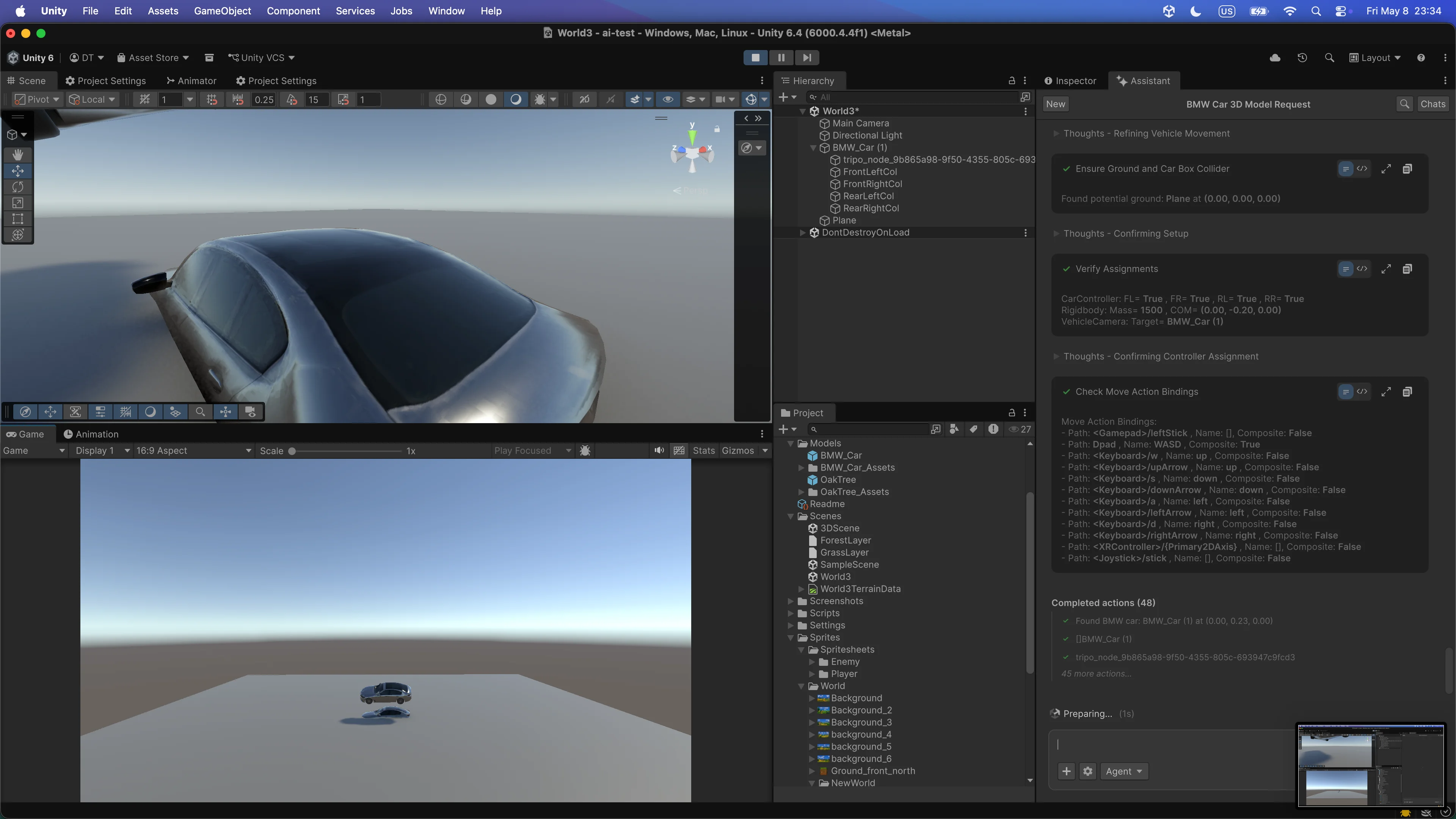
In this second image you can see the car as it starts flying, and a moment later it spins around itself. So once again, I was not satisfied with the result.
Why I am still excited about Unity AI Assistant
Even though the results were not the best, I am really excited about where this is going. I know Unity will do a great job with this product, even if the open beta has some rough edges.
Part of the experience is also down to my workflow. My main Unity AI setup runs on Coplay's Unity MCP with Opus, while Unity AI Assistant runs on Google Gemini. I have not yet spent enough hours with the AI Assistant to learn every nuance of how to prompt it well, and I am not sure whether Unity also uses other models in addition to Gemini for code generation.
I also did not want to write an article that only praises Unity. I wanted to give real feedback so the team can improve the product. And I am open to collaboration. If anyone from the Unity AI Assistant product team is reading this, I would love to sit down for a meeting, get a proper introduction to the tool, and create articles and YouTube videos teaching people how to use it.
I genuinely believe in this product. Their team got the foundation right, especially with 3D asset generation, and that alone is going to let small teams build richer games than they could before.
