Opus 4.6 vs GPT 5.4 One Prompt Unity World Generation Test
Part of Unity AI, my index of AI in Unity coverage.
TL;DR: I built a one-shot prompt to generate full Unity worlds from scratch, no prefab library, just an empty scene plus Unity MCP and an LLM. It's open source on GitHub and I now pair it with Caveman to cut token waste. The goal is a consistent benchmark across future models.
I've built a one-shot prompt for Unity world generation, and in the process of making it, I burned so many tokens that I am worried I'll be questioned at Congress. If you notice electricity outages in your town, I feel sorry for you. But this prompt had to be created because I really love the idea that we can create something today and give that same prompt to the future versions of LLM, and it will generate even better results. Now that Anthoropic has announced Mythos, the new model, my only hope is that this thing will create me a GTA 7 so I don't have to wait for 6 (make no mistakes).
Update:
Now I use Caveman to reduce world generation time and token waste.
As I mentioned earlier, I created a one-shot world generation prompt for Unity. You can read more about it here: One Shot Prompt — World Generation in Unity. It is still in development, and the process is slow because generating worlds in a single prompt takes time, but it also costs money (tokens). It is an open-source project, and I am inviting you to join. Here is the URL to Github.
What makes this different?
I know there are other ways to generate worlds, I am not the first to do it. Most of the existing solutions rely on pre built assets and predefined rules. What sets this apart is that the entire world is generated procedurally. There are no assets, nothing preloaded, just an empty scene, Unity MCP, and your LLM. If you have seen Google's Genie generating full games from a single prompt, this is similar, but it runs in a real environment. The assets are not streamed, they exist in your project and you can actually use them in a real game.
The goal is simple. Generate an entire world from a single prompt. That might not sound like much at first, but once you see the results, it changes how you think about it. In theory, you could take this and build an actual game from it if that is what you are after. For me, the point is to push LLMs through a consistent test and track how far they have come over time.
In order to test the prompt yourself, Unity MCP is required. You can probably get it working without it, but I did not test that path. If you want the best results, use Unity MCP. If you try it without it and it works, let me know.
The Genie comparison is also where the wider AI for games conversation gets stuck. The Western flagship products are tech demos behind expensive paywalls with no export path, while the actually shippable models for Unity are open source and mostly coming out of China. I broke that split down in addressing AI use in game development, alongside what I actually use AI for day to day.
What is Unity MCP?
Unity MCP is an open source bridge that lets an LLM drive the Unity Editor directly. It exposes scene, asset, and script operations as MCP tools, so the model can create GameObjects, run code, and inspect the project without you clicking anything in the editor. The whole one shot prompt runs on top of it, that is why nothing in this test would work without it. Maintained by CoplayDev, repo here: github.com/CoplayDev/unity-mcp.
In the next sections, I will show editor screenshots from each LLM iteration. To generate a complete world, the model goes through six layers:
- Terrain generation
- Terrain texturing
- Water generation
- Pine forest generation
- Lighting generation
- Volumetric procedural cloud generation
Before any of these steps run, Unity MCP creates a new empty scene and a dedicated directory. Each run stays self-contained, so nothing leaks into other scenes.
I tested Opus 4.6, GPT 5.4, and Cursor in automode. The problem with Cursor is consistency. In automode, you do not control which model you get, so the results change from run to run. Some were solid, some were not. For this test, I am only showing the last three runs.
One thing I learned during these runs is how much bandwidth allocation during peak and off-peak hours affects the results. The difference can be so large that it looks like something is broken. I ended up chasing issues that were not actually there. Prompts that already worked started giving worse results, not because they were wrong, but because of how the system was handling load at the time.
Opus 4.6 result
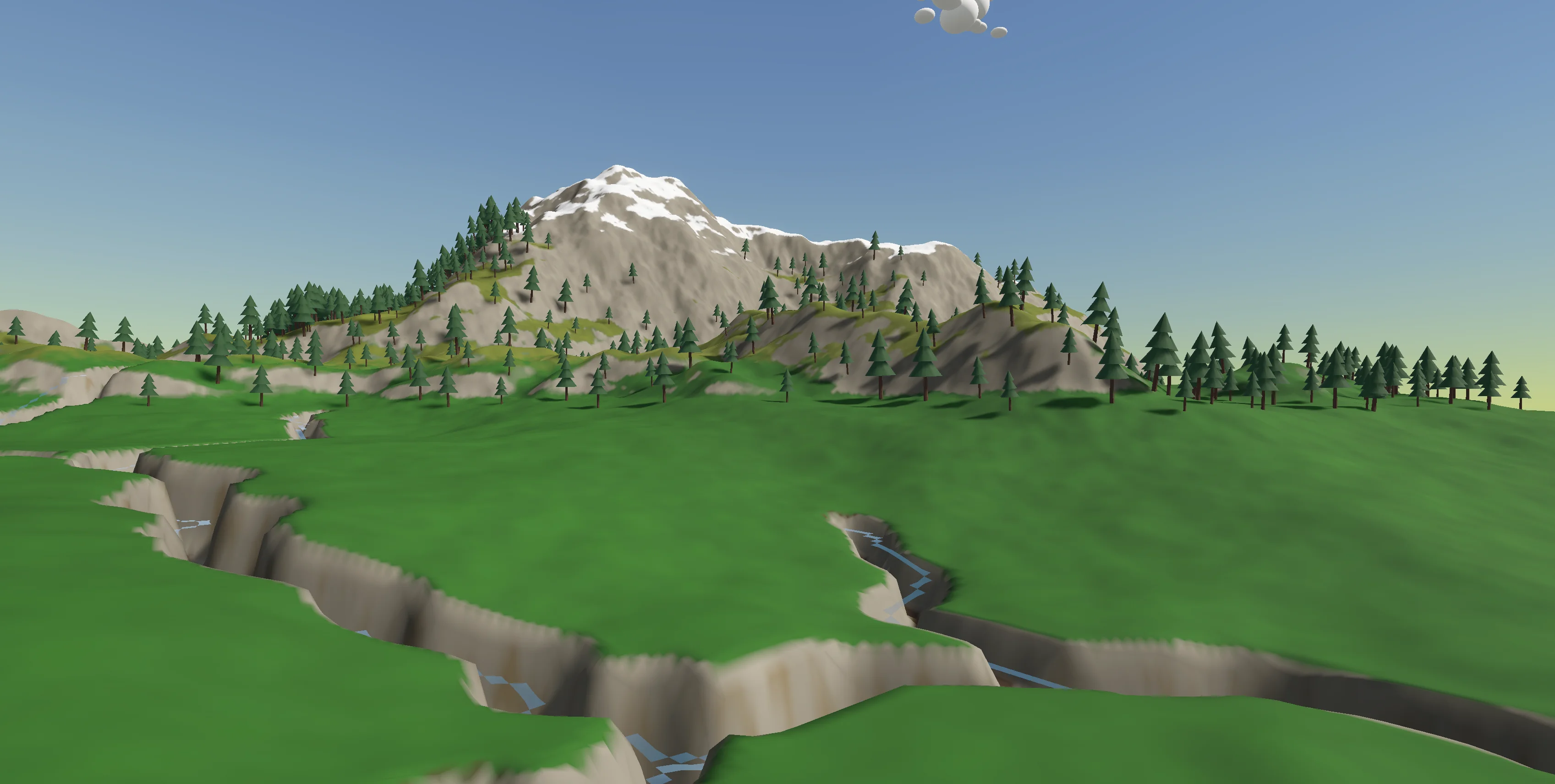
This one is my favorite by far. It generated a terrain that actually feels real, river banks, mountains, hills, fields, all there. Where it falls apart is water. You can see it in the image. It is barely visible and comes out pixelated. This is a prompt issue, not a limitation of the model. In earlier runs, it handled water much better, but after I changed a lot of the prompts, that part regressed.
The forest came out great. I did not expect the trees to look this close to real assets. In the early tests, it could only produce those lollipop-looking trees that break the scene. Here, the pine trees actually fit. On top of that, the model generated them in batches so the CPU does not choke, and it set up GPU instancing, which keeps the framerate stable.
It did a great job with texture splatting, which honestly caught me off guard. The level of detail is much higher than I expected. It knows where everything should go. Snow on mountain tops, stone along river banks, and green across the fields. It reads the terrain and assigns textures in a way that actually makes sense.
GPT-5.4 result
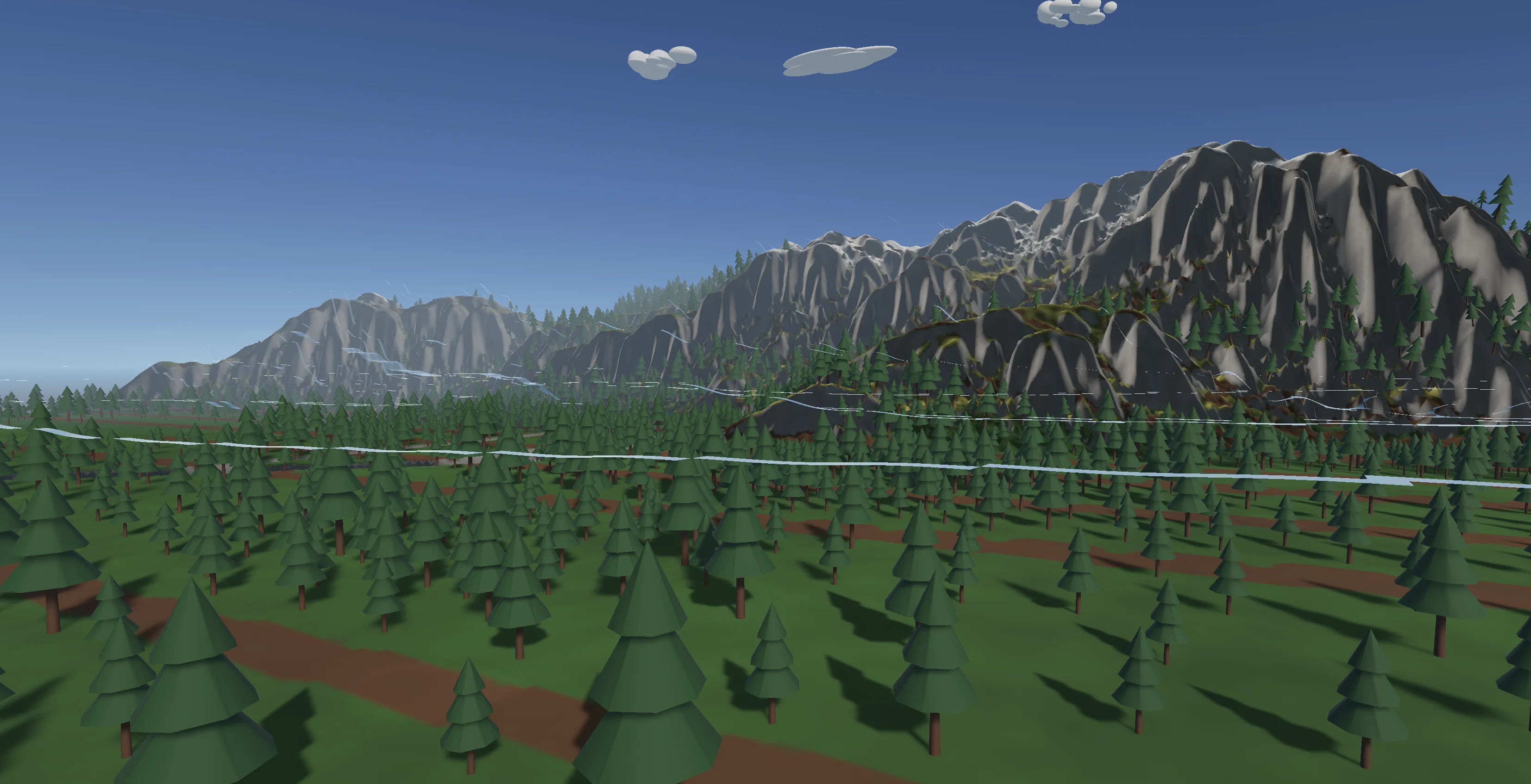
GPT 5.4 in Codex did not perform as well. It may look decent in the screenshots because I tried hard to capture the best angles, but the actual result was clearly behind Opus. The brown lines on the terrain are not roads. They are artifacts from poor texture splatting, and they make the whole result look rougher than it should.
Here is another image where you can see it more clearly.
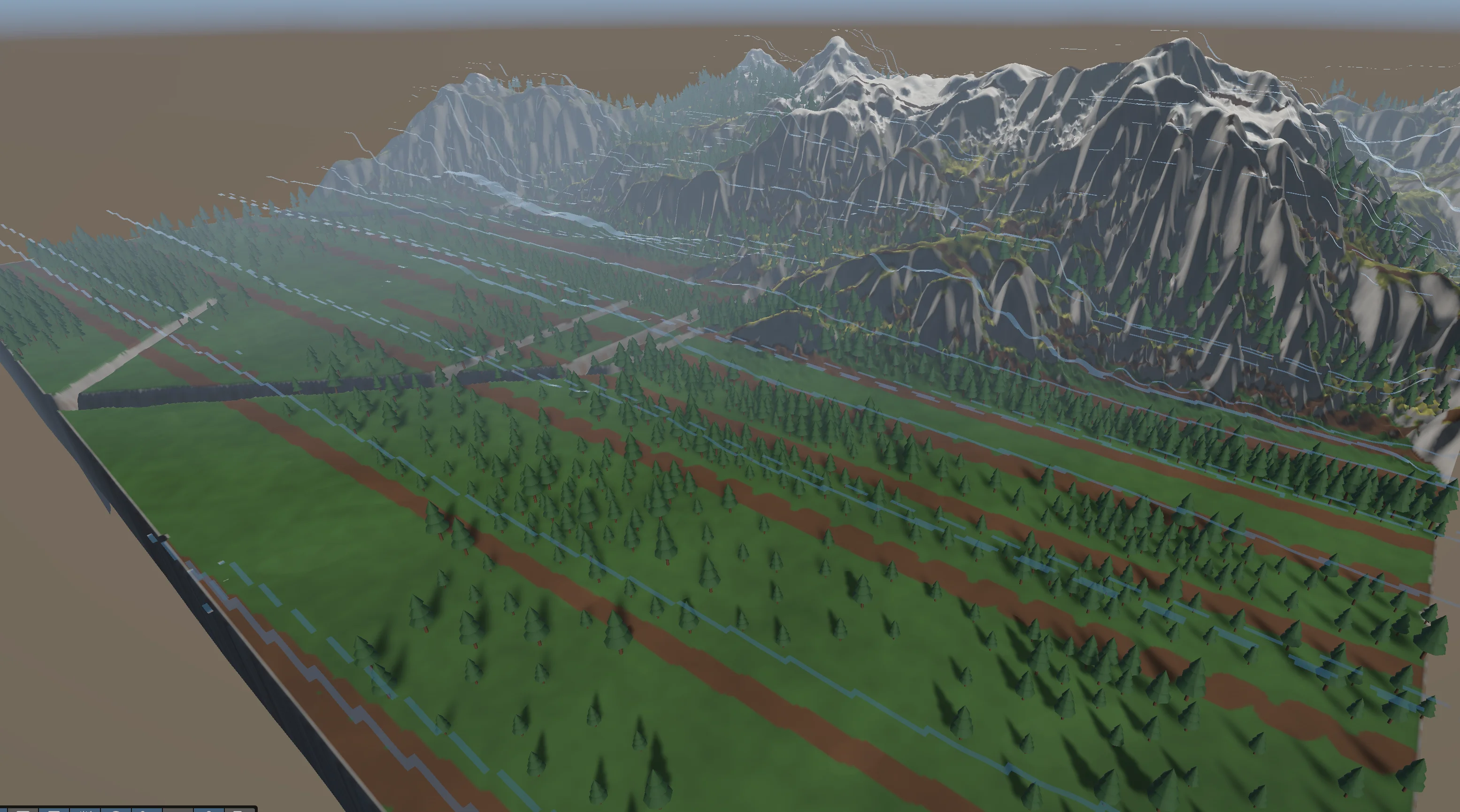
Those blue lines flying through the scene are supposed to be water, and it fails completely at that layer. Opus did not nail it either, but at least it kept water inside the river banks. Here, the water is floating and looks more like wind than anything else. You would not recognize it as water unless I pointed it out.
One thing I did not capture, because I did not expect it, is how weak the lighting layer is. It does a poor job, and it makes everything look worse than it actually is. That is something I am working on improving.
In this result, I like the forest density in certain areas. In others, it falls into that line pattern, but near the mountains it holds up pretty well.
Cursor results
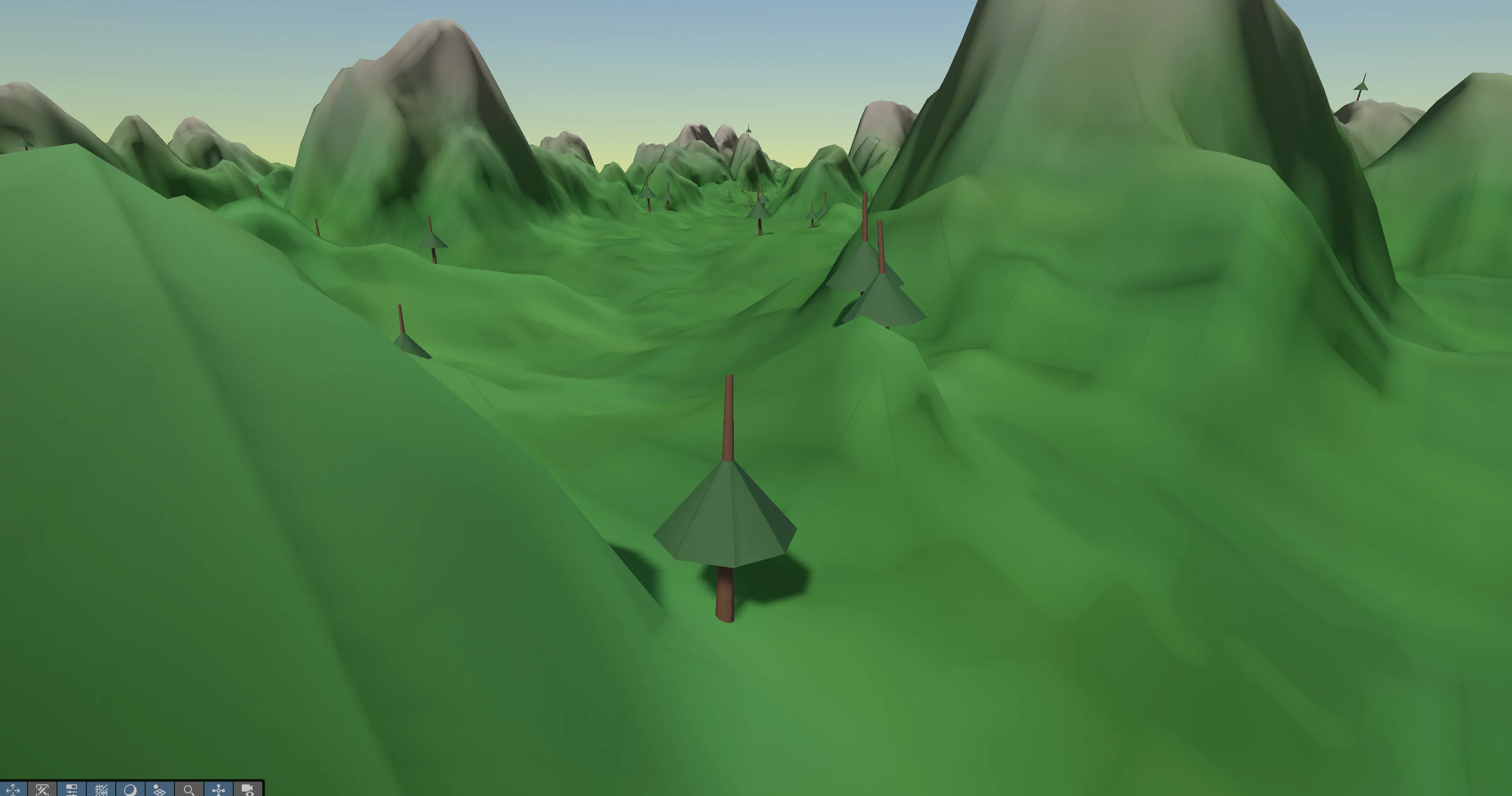
This one did not turn out well, mostly because I used automode. I already burned my Opus bandwidth inside Cursor, and I would not use it here anyway since I run Opus tests through Claude Code. There is no reason to duplicate that.
The trees look more like umbrellas than pine trees. The density is low, I would not call it a forest. Texture splatting is decent, but still behind the other tests. Overall, it looks like something from an N64 era game.
Terrain generation is where it really breaks. It does not follow the prompt correctly, so the result feels off. The prompt is supposed to guide it using real world like data, even if that data is generated, so the terrain resembles something believable. That part fails here.
On the positive side, lighting in this result was much better than in other results, but that is only because this type of lighting fits this N64 aesthetic.
Older runs that were actually decent
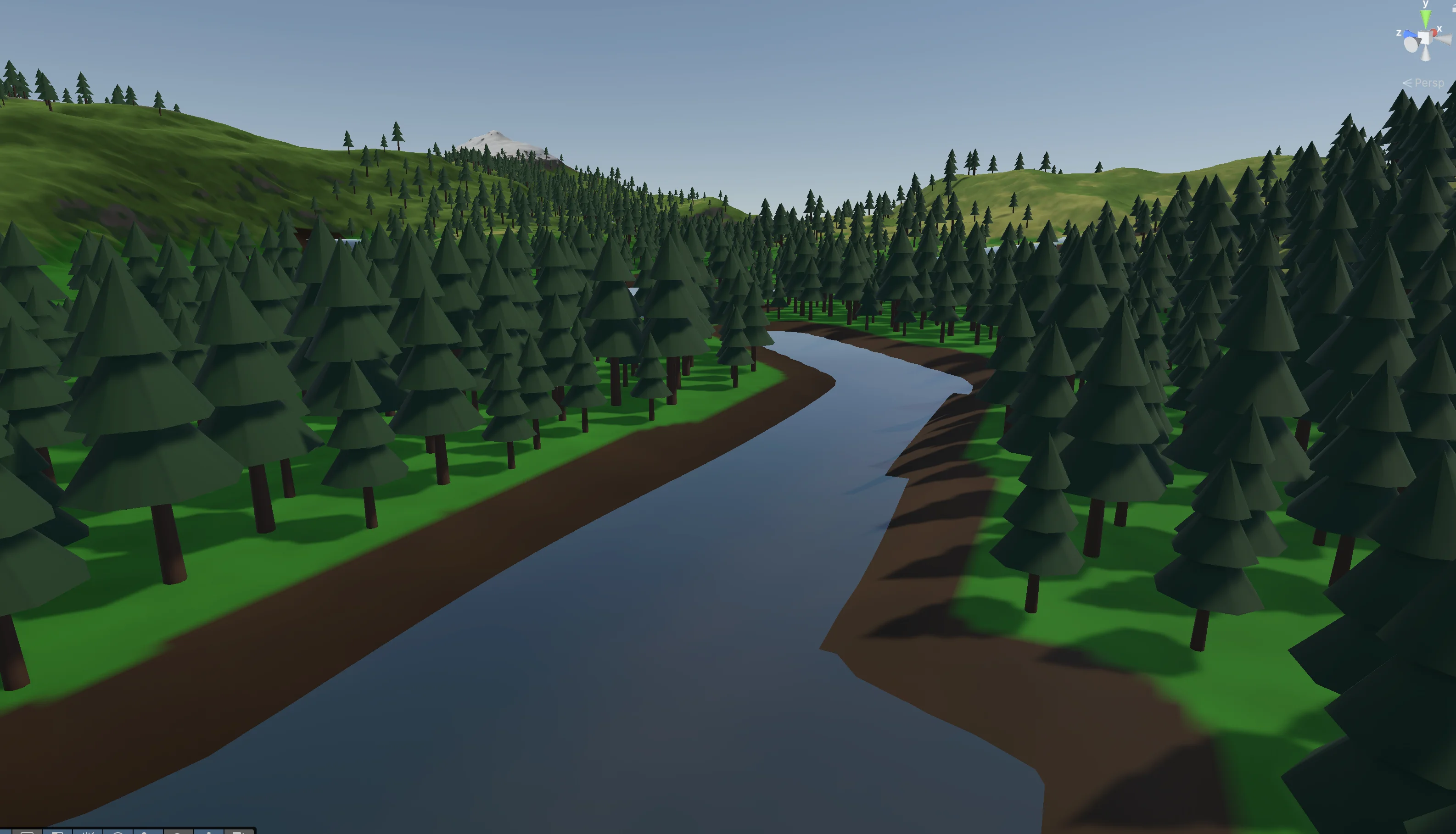
Before I locked in the prompt rules, I was just trying things out. Some of those runs turned out surprisingly good. There was one case where Opus generated both water and proper river corridor mud. It only happened once, and never again. I got lucky and saved the screenshot.
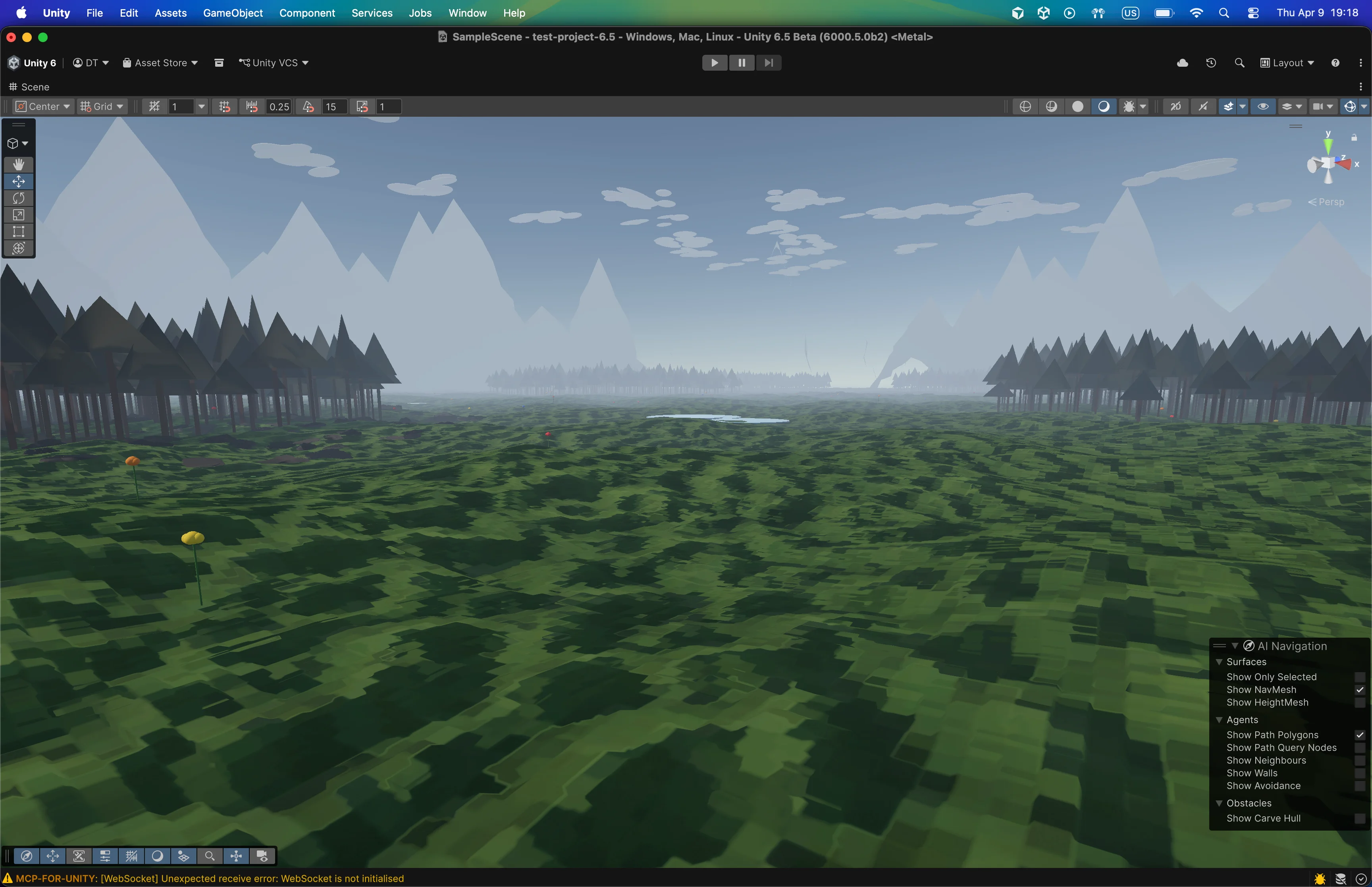
The other notable result comes from Cursor. I started testing it in automode, and it actually produced some great outputs. The props are still primitive, but this one has the best overall feel. The fog and lighting work surprisingly well, and from a distance, it looks like footage from a real game.
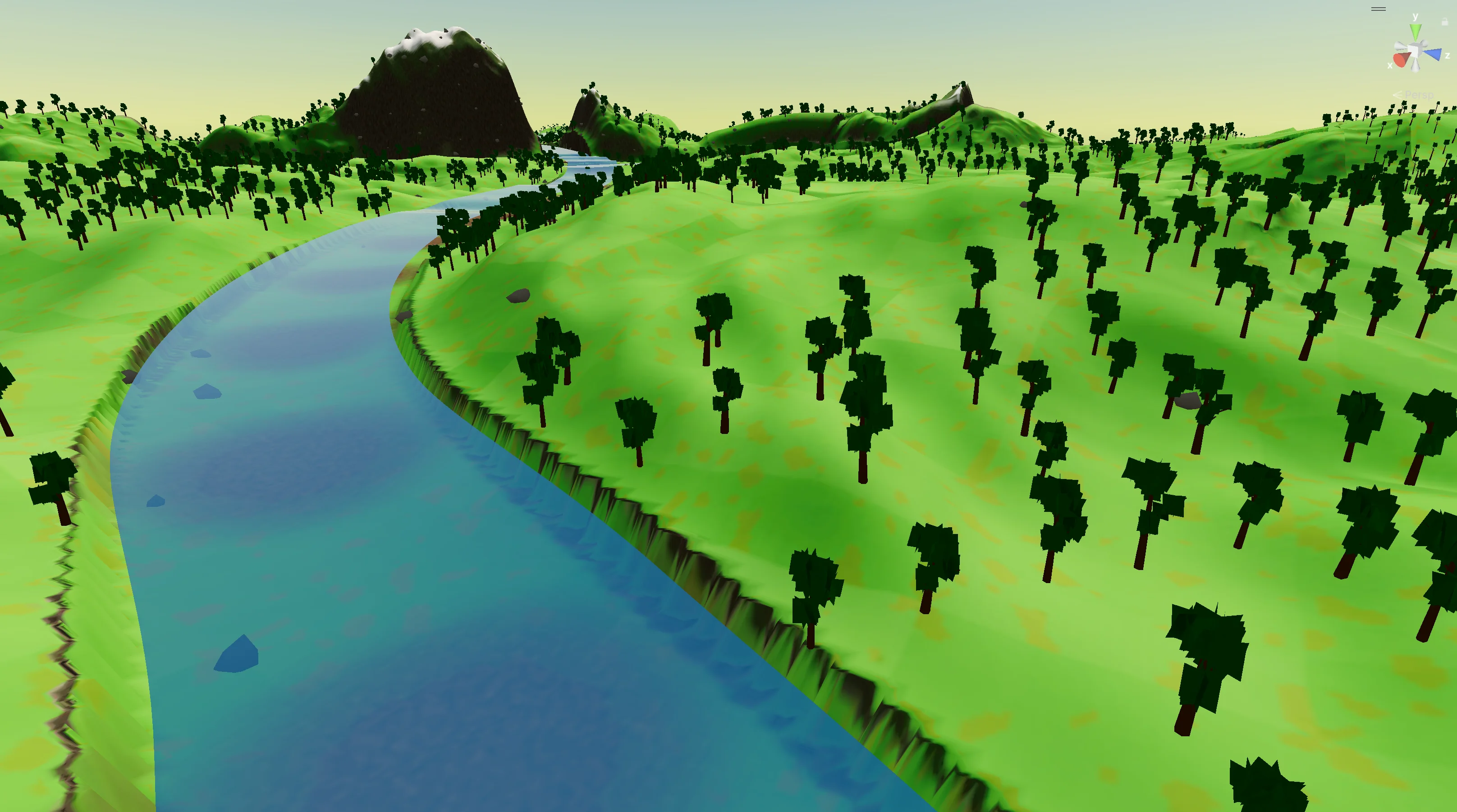
This one is my personal favorite. It uses the same prompts as the Cursor image above, but this one is from Claude Code Opus 4.6. There was an even better version that I never saved. It generated a tree with actual leaves, fully procedural, and it looked surprisingly real. I wish I had captured it. The trees you see here are those same trees, but from Temu.
How do I run it myself?
Go to this url and at the top you will see "Copy prompt for your LLM". Click it, copy the prompt, then paste it into your CLI or IDE. It will start everything automatically.
Also, keep in mind that this can take up to an hour to run, which means it will burn through your tokens. If you are on a cheaper plan and doing real work, you might want to skip it. For the best results, use Unity MCP. I have a full guide on how to set it up in your Unity project: How do I Use AI in Unity for Free? 2026 Tutorial.
Is AI capable of generating worlds in one prompt?
AI can already generate a complete Unity world from a single prompt, including terrain, textures, vegetation, water, lighting, and atmosphere. The results are not theoretical anymore, they are real.
What is changing now is quality and consistency. Some layers are already strong, like terrain and texturing, while others are still catching up. Each new model pushes that boundary further. This is not a question of if anymore. It is already happening. Now it is about how fast it improves.
Unity has its own attempt at the same problem. Unity AI Assistant is in open beta and includes a one-prompt world generator built into the Editor. I tested it the same way in my hands-on Unity AI Assistant review. World generation failed there too, just in different ways. Tripo asset generation was the only part that worked.
None of this means learning Unity is a waste of time. The opposite. Every broken water layer, every misplaced texture splat, every tree that came out looking like an umbrella, had to be diagnosed by a human who understood what the scene was supposed to look like. If you are wondering whether it is still worth picking up Unity with results like these floating around, I answered that in is it worth learning Unity in 2026?.
Help me improve the prompt
The project is open source and available here: One Shot Prompt — World Generation in Unity.
Running these tests is expensive, and I have already maxed out my $100 Claude subscription. If you are interested, jump in and help. The goal is to build the best possible prompt for Unity world generation. When Anthropic releases Mythos, I want to run it through this and see if it can generate GTA 7 with no mistakes.
